My Roles: Designer, Animator, Character Rigger, 3D Artist & 3D Mentor
Timeline:
Jul - Aug 2025
Created In:
Unity

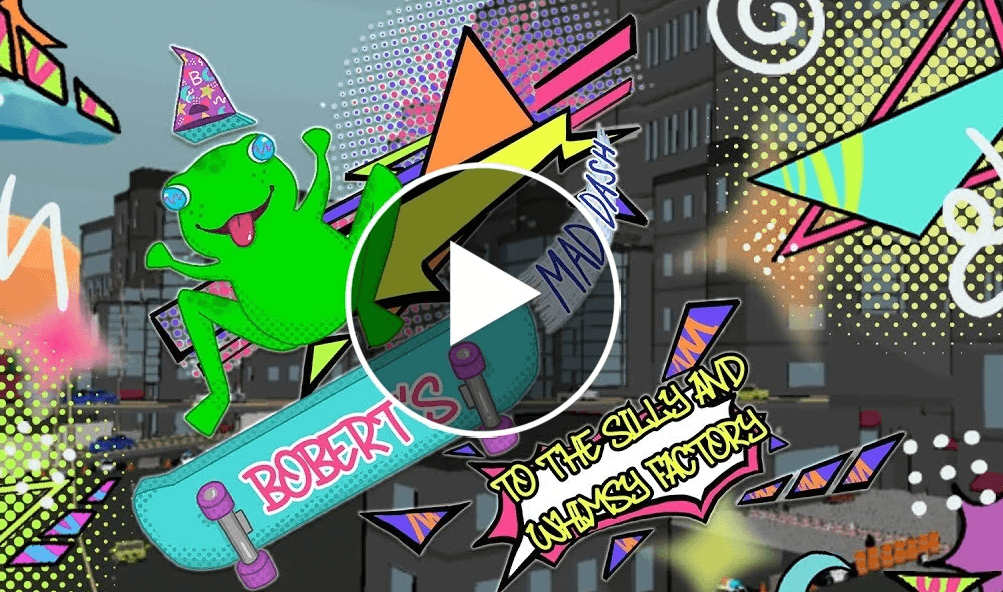
Bobert's Mad Dash to the Silly and Whimsy Factory
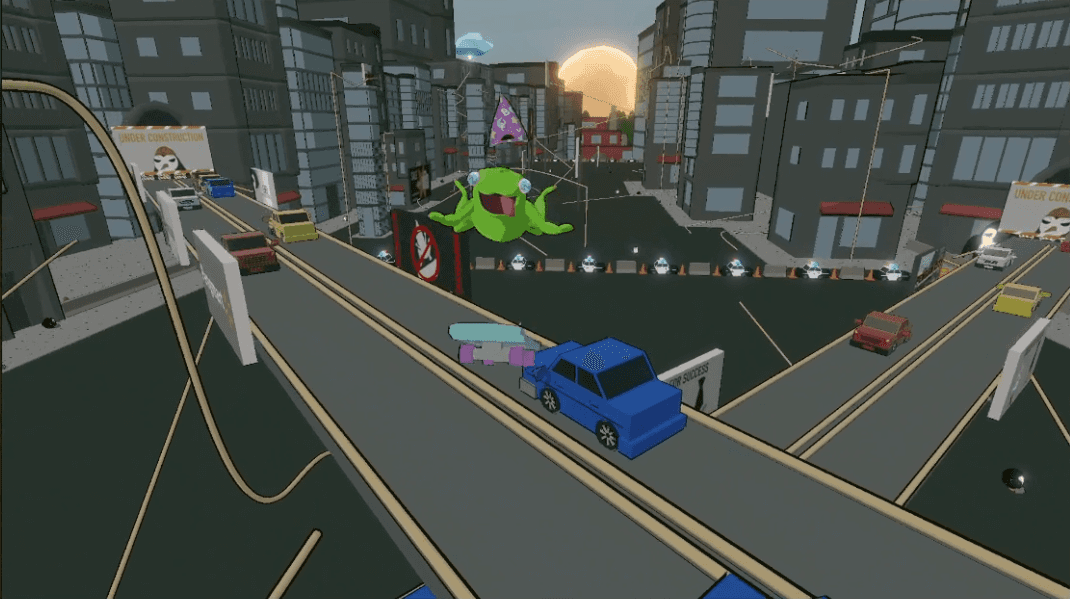
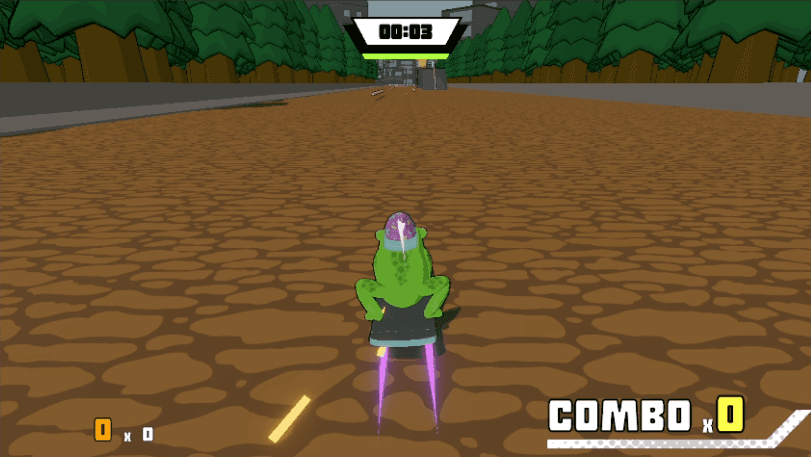
Bobert’s Mad Dash to the Silly and Whimsy Factory is a 3D action-platformer where a wizard hat-bearing frog skates through a mundane city, inhabited by business penguins. The game emphasizes replayable, combo-focused gameplay and high score chasing. Developed in one month for Blizzard Entertainment’s “Gameplay First” game jam, our team of recent graduates presented the project in person at Blizzard’s campus, hosted by a member of the Overwatch team. Our game was inspired by and aimed to capture the energy and flow of titles like Bomb Rush Cyberfunk and SSX while crafting a movement system satisfying enough to engage speedrunners and high-score chasers alike.
Players control Bobert, a whimsical frog in a wizard hat riding a skateboard, as he dashes across Penguin City to reach his job at the Silly and Whimsey Factory. Players earn points by pulling off tricks, grinding rails, and riding on billboards. There are two main objectives players can choose to try and achieve:
Speed: Reach the factory as quickly as possible
Style: Accumulate the highest score through combos and creative trick chains.
Be careful when rolling around Penguin City, though; colliding with the worker penguins will reduce your score and slow you down momentarily. The game is designed to encourage mastery through replayability, optimizing routes, and perfecting combos.
My Responsibilities
3D Modeling & Mentoring
I served as a game designer, level designer, animator, character rigger, and 3D artist, while also mentoring teammates in 3D modeling using Blender. Early in development, I worked closely with our concept artist, who wanted to learn Blender. I spent the first week teaching her modeling fundamentals and customizing keybinds to streamline her workflow. Together, we translated her 2D designs into 3D sculpts optimized for animation. Before each modeling session, I built prototype meshes so she could visualize topology and proportions before creating her own with refined details. This close collaboration ensured the model remained compatible with animation rigs, preventing setbacks later in production.
Level Design
Once our art pipeline was established, I shifted focus to level design. Our team initially sketched Penguin City on paper, but I found this unhelpful for visualizing 3D environments. I began greyboxing the map in Blender, while projecting my screen onto the TV for the team, allowing fast, collaborative iteration. We divided the map into four stages: Tutorial Park, City, Freeway, Industrial Park, and Factory Grounds. We further split each of these stages into roughly three potential paths the player could take: left, right, and center.
I was mainly in charge of designing Stage 2: City’s left and right paths, Stage 3: Freeway, and Stage 4: Industrial Park’s right route. When designing, I tend to approach a project as a player, closing the gap between developers, artists, and player experience. For example, in Stage 2: City’s right route, I designed a split path: players could stay on the ground and travel through a garage, or use a rail between two wall-rideable billboards to reach a rooftop loft wedged between taller buildings, which also featured billboards. My goal was to guide player progression: beginners could safely take the lower route, while more experienced players could navigate the rooftop path, chaining tricks between billboards for higher scores. This design encourages players to gradually take risks and improve over time.
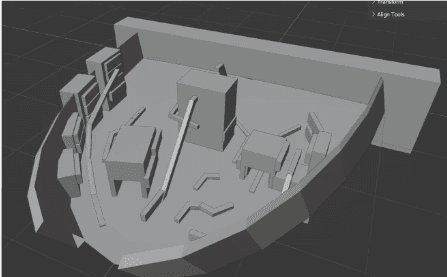
Stage 2: City Greybox
My vision for Stage 3: Freeway was to create a network of interwoven rails threading through the overpasses, requiring fast and precise movement as players choose their optimal path. Since this stage appears in the latter half of the level, I wanted it to serve as a wake-up call, a point where players must begin making sharper decisions. The combination of tight turns and limited reaction time between rails and billboards creates a sense of urgency. Playing it safe offers few opportunities to earn points; most rails are designed to lead upward toward the overpasses, where more billboards and trick opportunities await. It was very important to me to have players feel satisfied by skating alongside cars stuck in traffic, grinding guardrails, jumping between billboards, and leaping over vehicles, like an action movie.
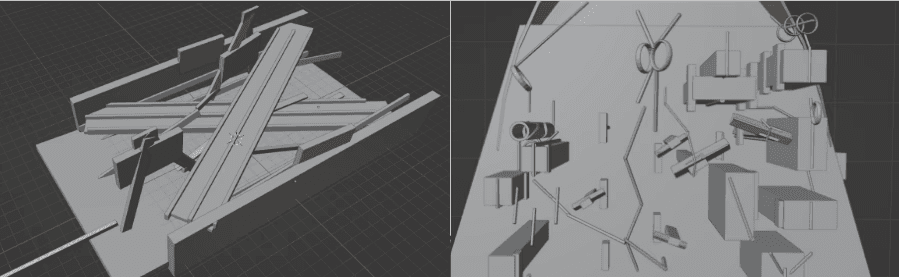
Stage 3: Freeway Greybox & Stage 4: Industrial Park Greybox
Character Rigging
Once the map design was fully fleshed out, I stepped back from designing to once again work on character modeling and rigging. The Business Penguin required a simple rig, so I instructed my mentee to keep the model as a single object, supporting just two animations: walk and hurt. When I created the skeleton for Bobert, however, I needed more exaggerated articulation. His limbs, tongue, and eyes were modeled detached from the main body to allow extreme, cartoonish movements without model deformation. This setup enabled me to create dynamic animations, reaching behind his head, stretching his tongue, and performing tricks that would be impossible for real frogs. The design of this rig also future-proofed Bobert for additional complex tricks beyond the game jam deadline.
During this stage, I encountered a devastating bug within the version of Blender I was using. When I tried to weight paint, the weight assigned to the bones refused to save, and if they did, they behaved completely inaccurately or inconsistently. I spent hours researching, reaching out to industry professionals, and combing through years of forum posts. I had leads, but no one had documented this exact issue. With less than 48 hours left before the deadline, I faced two risky options: reinstall Blender and lose my custom keybind setup, forcing me to set it back up or relearn Blender defaults, or rebuild the entire rig from scratch, hoping I wouldn’t encounter the same bug again.
Instead, I decided to think outside the box. Rather than continuing to search for a fix, I began studying how Blender’s bone system worked on a deeper level. After hours of digging, I discovered a hidden menu that didn’t directly solve the issue, but allowed me to engineer my own workaround. It wasn’t stable, but it was just enough to finish Bobert’s rig and move forward with animation.
Animation
View All Bobert Animations Here:
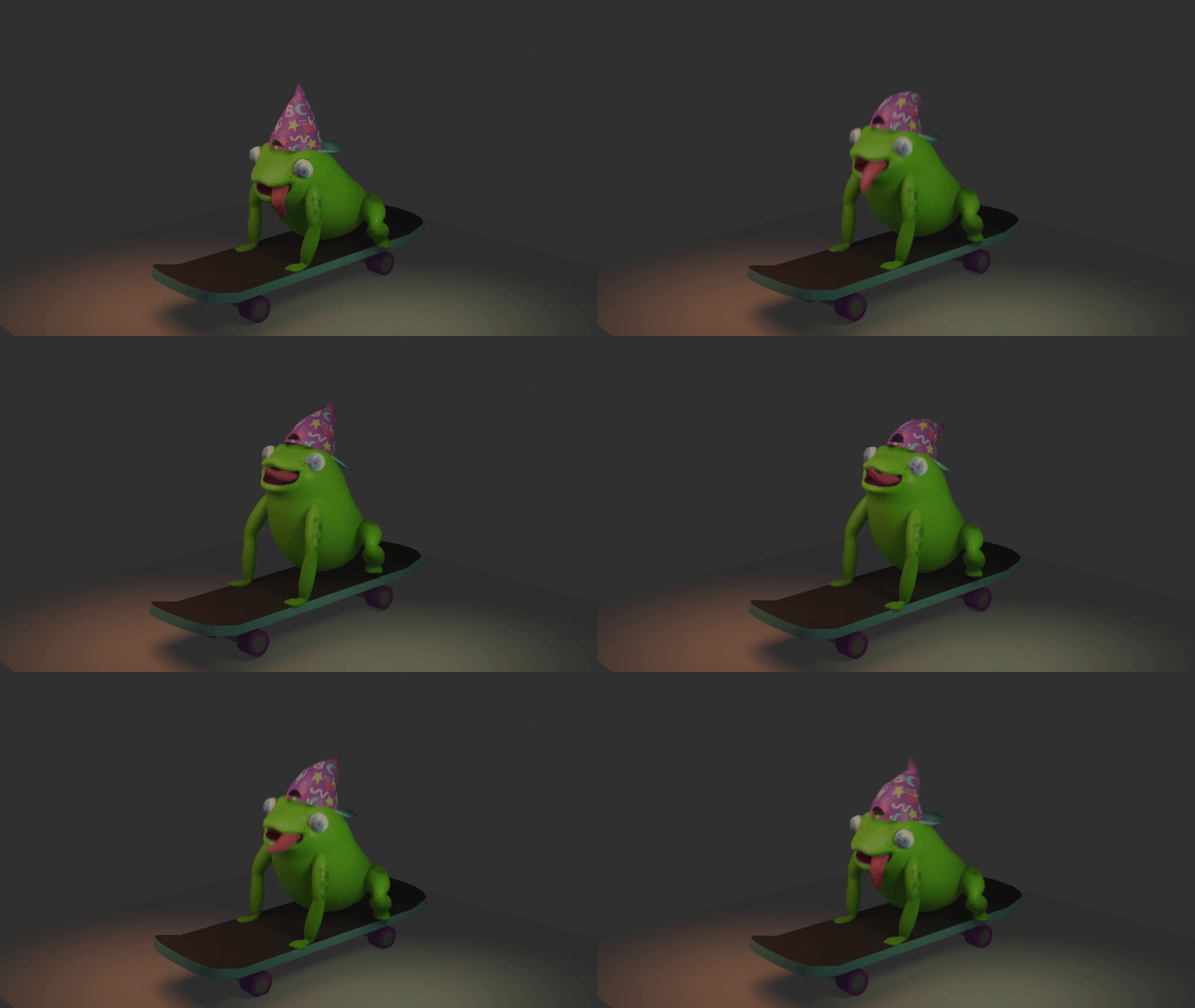
With the rig finally working, I moved on to animation, where I was able to truly bring Bobert to life. I began studying how real frogs behave, their posture, breathing, and jumps. Once I understood how their anatomy behaved, I translated that realism into exaggerated, expressive motions, believable enough to feel natural, but kept Bobert’s silly personality. I animated his spine and limbs to react dynamically to each other, giving a sense of weight that made even his weirdest positions still feel grounded in physics.
From the start, I had two rules for Bobert’s personality: his tongue should always be out, and his movement should have the soft, bouncy squishiness of a custard pudding. His idle skating loop reflects this, with his tongue flopping in the wind and his body jiggling, giving him a playful sense of motion even when the player isn’t controlling him.
Of course, frogs don’t skate or perform backflips on skateboards, so I had to get creative when it came to animation references. For Bobert’s animations, where he behaves more like a person rather than a frog, I set up a camera in my room and filmed myself mimicking frog-like poses and jump motions, sometimes leaping, sometimes crouching low, or performing a trick, experimenting with the timing and stretch of each movement. The footage is absolutely ridiculous, don’t get me wrong, but it gave me invaluable firsthand references for how I imagined Bobert’s playful energy would shine through.
Not every animation worked perfectly on the first try. For instance, the jump originally included too many overlapping movements (tongue flinging, board flipping, etc.), but I learned that sometimes less is more. Simplifying the movements made the jump feel incredibly responsive, which meant it felt more satisfying to play. One of my favorite animations that I did for Bobert is the “Billboard Grind,” where Bobert latches onto walls with his tongue while his legs kick excitedly beneath him. Bobert is also not a mean-spirited universe. In Bobert’s hurt animation, which plays when he collides with an enemy or a wall, he flails dramatically, acting more surprised than pained, which was very important to establishing the lighthearted spirit of Bobert’s world.
Reflection
This project represents the perfect connection between my player-focused design philosophy, creative direction, and work ethic. It felt like it was my first true glimpse into the games industry, and it showed me how much I love every aspect of creating games. I learned how to balance creative experimentation with production constraints, how to lead and mentor others while continuing to grow myself, and how to transform ideas into tangible, fun gameplay. Best of all, I got to make something I’m proud of with my friends and get to showcase it with them at Blizzard’s Irvine campus, an experience that reminded me why I fell in love with game development in the first place. More than anything, this project reaffirmed my belief that great games are built through collaboration, empathy for the player, and the shared passion of the people who bring them to life.